Thursday, 26 May 2022

Specialists and GDMOs with PG degree from Wellness Centres/ Government hospitals visiting CGHS Wellness Centres

 Specialists and GDMOs with PG degree from Wellness Centres/ Government hospitals visiting CGHS Wellness Centres

F.NO.20-2/2021-2021-CGHS/CZ/DIR/CGHS
(Efile no. 8139325)
Government of India
Ministry of Health and Family Welfare
Department of Health and Family Welfare

Nirman Bhawan, New Delhi
Dated: /05/2022

Office Order

Subject: Guidelines & Standard Operating Procedure for specialists and GDMOs with PG degree from Wellness Centres/ Government hospitals visiting CGHS Wellness Centres

Background:

Consultations related to various medical specialties are frequently required by CGHS beneficiaries for which they are referred to empanelled HCOs and government hospitals often remotely located. Presently in GDMO cadre, a number of doctors have post graduate degree, whose services can be utilized, thereby easing the burden of time consumed in availing specialty services by CGHS beneficiaries.

With the intent to reduce referrals to empanelled hospitals and increase the in-house specialty facility for CGHS beneficiaries, it is proposed to deploy more GDMOs with PG degree to attend to patients in their area of specialization, in addition to the GDMOs with PG degree already working similarly and specialists/GDMOs from RML and Safdarjung Hospital CGHS Wing who are visiting CGHS Wellness Centres. These GDMOs with PG degree shall be deployed as mentioned above, in Wellness Centres of their city (and preferably in own zone in Delhi) as of now, as a Pilot Project for 60 days. Specialties chosen are Internal Medicine, Pediatrics, Gynecology and Dermatology. (Orthopedics is a preferred specialty however GDMOs with PG in Orthopedics are not currently available in Delhi and outside Delhi Wellness Centres. They shall be included as and when available). The Additional Director of zone/city would be required to create a roster for deployment of GDMOs with PG degree in their zone/city WCs, in addition to the GDMOs with PG degree already working similarly and specialists/GDMOs from RML and Safdarjung Hospital CGHS Wing who are visiting CGHS Wellness Centres.

Guidelines & Standard Operating Procedures:

    1. Responsibilities of specialists and GDMO with PG degree from Wellness Centres/Government hospitals visiting CGHS Wellness Centres:

      1. The designated GDMOs with PG degree posted in Wellness Centres shall be visiting other Wellness Centres from 7.30am to 2.00pm. During the Pilot Phase of 60 days, the visit of such doctors would be once a week, to the assigned Wellness Centres. An analysis of the number of patients attended by each newly deployed visiting GDMO with PG degree on a day, shall be carried out at the end of 60 days by the respective zones/cities to decide whether the number of days of visit in the month is to be increased or decreased, for optimum utilization of the GDMO.
      2. The visiting GDMOs with PG degree (VGP) shall not be exempted from emergency duties such as night duties/afternoon duties in the 24 X 7 Wellness Centres in Delhi.
      3. In case of planned/sanctioned leave, the visiting doctor (from Government Hospital or another Wellness Centre) shall inform the CMO I/C of the visited Wellness Centre(s) AND Nodal Officer for 24*7 emergency duties (as the case maybe), well in time before the duty roster is readied, for adjustment of emergency roster and Online Appointment roster, respectively.
      4. Mandatory use of computer while attending to patients:
        1. The visiting doctors (visiting GDMO with PG degree (VGP), specialists/GDMOs from government hospitals and visiting contractual doctors) shall mandatorily use the doctor’s computer module available in Wellness Centres after login to cghs.nic.in, using the user ID created by Addl. Director of zone/city, to attend to patients. This user ID shall be transferred at the end of the day by CMO I/C of the Wellness Centre visited, to the next one to be visited by the visiting doctor.
        2. The visiting doctors mentioned above, shall independently work on the computer module without insisting on assistance for data entry (justification:
          1. Data Privacy Policy of Government of India
          2. past experience with dependence on non-medical outsourced resources for entering patient details and medicines in the computer module has resulted in prescription errors, detrimental to patient care).
        3. All visiting doctors whether from government hospitals or Wellness Centres, shall access the pharmacy stock online to prescribe available medicines in the Wellness Centre, or prescribe from within the CGHS formulary, to the maximum extent possible. The medicines shall be issued from the visited Wellness Centre’s stock and indent placed to the Authorized Local Chemist of the visited Wellness Centre.
        4. While issuing/indenting medicines for a beneficiary, the visiting doctor shall check the “history” of previously prescribed medicines to ensure that the medicines being prescribed are not already available with the beneficiary and that they do not have adverse reaction with medicines being taken by the beneficiary as advised in earlier visits. The total quantity of issued/indented medicines may be adjusted accordingly.
        5. Medicines that are available in the Wellness Centre but have been indented by the visiting doctor shall be rectified online by the CMO I/C, before submission of indent.
        6. In case a beneficiary wishes to get medicines from his parent Wellness Centre rather than the visited Wellness Centre, the visiting doctor would be required to enter online, the NAMES of medicines to be issued/indented with the DOSAGE and TOTAL DURATION mentioned against each, but with quantity as zero, to maintain an online record of the prescription. The beneficiary would be required to visit his parent Wellness Centre and get the medicines issued and indented as per availability in that Wellness Centre and total quantity required (based on medicine-wise dosage and duration already entered by the visiting doctor and seen in “history”). Hand written prescriptions shall not be issued by visiting doctors (whether specialist or GDMO with PG degree or consultant) except in exceptional circumstances when the net connectivity/power/server is down. In such cases, the prescription validity shall not be more than 01 month and during subsequent visit, the details in the handwritten prescription shall be entered online in the module by the visiting doctor.
        7. As a routine, issue/indent shall be done for a maximum period of 03 months; however, if next visit is required after 06 months/ a specified time period, the same shall be mentioned in the “Remarks” Column.
        8. Two copies of the prescription shall be handed to the beneficiary. One copy shall be used on the same day to collect his/ her medicines. The other copy duly stamped by the visiting doctor would be used by the beneficiary as a prescription when they come for subsequent visits in the following months. This copy would be valid only for the duration mentioned (in the Remarks column) by the visiting doctor of the concerned specialty, in the prescription.
        9. Symptoms, examination findings, investigation reports and diagnosis shall be saved in the doctor’s Module under “Examination”.
        10. The visiting doctor of the concerned specialty shall advise investigations as far as possible from CGHS own labs and collection centres using the “CGHS Lab” option in the doctor’s module.
        11. The visiting doctor of the concerned specialty, depending on requirement, shall issue referral to the beneficiary for consultation, listed investigations and procedures, to be carried out in “any empaneled HCO” through the online Referral Module, so that the beneficiary is not required to visit a GDMO of the Wellness Centre again, for an online referral.
        12. Any unlisted procedure/investigation advised by the visiting doctor may be typed in the “Remarks Column” and stamped print out issued to the beneficiary. In case of a pensioner beneficiary, the CMO I/C may refer the beneficiary to the Additional Director for issue of permission for unlisted items.
        13. Visiting doctors requiring hand holding for using the GDMO Module shall email a request to mctc@cghs.nic.in along with their mobile number and place of posting. Online training through VC mode (Microsoft Teams/ Google Meet) shall be imparted to groups of visiting doctors. Any inputs for modification in the computer module may also be emailed to mctc@cghs.nic.in.
    2. Online appointment for visiting doctors:

      1. As “Specialist” online appointments can be taken 30 days in advance, CMOs I/C shall ensure that online roster for visiting doctors at their Wellness Centre for the month of visit, is posted online in the Appointment System between 20th and 30th of the current month, indicating the dates when the visiting doctors would be available for consultation.
      2. Number of appointments for the visiting doctors (“specialists”) shall be ordinarily limited to total 60 patients per day (50 for online and 10 for walk-in beneficiaries). (This information shall be widely disseminated to beneficiaries through SMS, and notice board display in Wellness Centres). The number of walk-in beneficiaries can be increased to more than 10, on mutual consent of the visiting doctor and the CMO I/C, over and above the total 60 patients per day scheduled in 50:10 online : walk-in ratio. Beneficiaries who are not computer savvy shall be assisted by staff in the Wellness Centre, to book the 50 online appointments for “specialists”, during the 30-day window period for online “specialist” booking.
      3. In case of emergency leave of the visiting doctor, the beneficiaries who have already taken appointment and wish to get medicines repeated based on a previous prescription by the same doctor, shall be required to meet the CMO I/C for issue/indent of chronic ailment medicines for 30 days or as per discretion of CMO I/C depending on medical condition of the patient.
    3. Role of Addl. Director:

      1. The Additional Director of city/zone would be required to create a roster for deployment of GDMOs with PG degree in their city/zone WCs, in addition to the GDMOs with PG degree already working similarly and specialists/GDMOs from RML and Safdarjung Hospital CGHS Wing who are visiting CGHS Wellness Centres. The roster may be created within 05 working days.
      2. Addl. Director of the city/zone shall thereafter, share the SOPs with their Wellness Centres/Polyclinics and issue official orders assigning the visiting GDMOs with PG degree (VGPs), the days and Wellness Centres to be visited, mentioning the name, designation of the GDMO and the field of specialization (Eg., Dr ABC, SMO, Internal Medicine). Saturdays and Mondays may be avoided being days with increased patient load. During the Pilot Phase of 60 days, initially only one day a week for each visiting GDMO with PG degree would be designated for visit to another Wellness Centre.
      3. Addl. Director CGHS (HQ) shall hold meeting with In charge CGHS Wing of RML and Safdarjung Hospital in this regard including mandatory use of computer by all visiting specialists to CGHS Wellness Centres (as directed in the meeting on 11/04/2022).
      4. At the end of the 60-day Pilot Phase, Addl. Directors of city/zones shall analyse the number of patients attended by each VGP in their city/zone and accordingly increase or decrease their frequency of visits.
      5. Addl. Directors of the city/zone shall ensure that user ID and password for logging into doctor’s computer module are created for all visiting doctors whether from Government hospitals or GDMOs with PG degree or contractual doctors. They shall also ensure availability of separate room, internet, availability of desktop computer and peripherals including printer for use by the visiting doctors, along with an examination table, foot stool, BP instrument, folding screen, equipment for PV examination (for gynecologists), autoclave, stadiometer and weighing machine. Full length A4 sheets would also be provided to the visiting doctors.
      6. In order to ensure that the night/afternoon duties of VGPs do not fall on the days of their visit to other Wellness Centres, Addl. Directors of each zone/city shall share the detailed VGP roster with the respective Nodal Officers who finalize the roster for the emergency duties. The concerned Nodal Officers shall ensure that the emergency duties of these doctors do not fall on the same day as their visiting days [for male GDMOs, the nodal officer shall also consider the subsequent day (post night duty off)]. For other duties requiring long absence from Wellness Centre duty, the VGPs may be deployed for such duties as a last resort, to avoid inconvenience to beneficiaries.
      7. After completion of PG Degree, the GDMO doctor on joining back or any fresh appointee with PG degree shall be included in the roster of visiting doctor if consent is provided. Also CMO I/C with PG degree may be considered as VGP, if consent is given, as only once a week visit to another Wellness Centre would be required.
      8. Telemedicine: Shall be conducted from a location in the office of Addl. Director of city/HQ only and not from any Wellness Centre or home. In the event that the patient load for a particular specialty is less, then the telemedicine may be linked to a hub in Safdarjung Hospital (in case of Delhi) where the concerned specialist of Safdarjung would attend to the patients online. Necessary instructions in this regard are to be conveyed to all cities by ADDG (HQ) and to telemedicine team in Delhi by AD (HQ).
    4. Role of CMO I/C:

      1. The orders regarding deployment of GDMOs with PG degree with their days of visit may be displayed on the notice board of all Wellness Centres for information to the beneficiaries.
      2. It may also be clearly displayed on the Notice Board that ordinarily 60 appointments per day would be scheduled for visiting doctors in the ratio of 50 online appointments and 10 walk-in appointments. Walk-in appointments can be increased more than 10, over and above the total 60 patients per day scheduled in 50:10 online : walk-in ratio, on mutual agreement with the visiting doctor. Beneficiaries who are not computer savvy shall be assisted by staff in the Wellness Centre, to book online appointment for “specialists”, during the 30-day window period for booking. MCTC may be contacted for hand holding in this regard.
      3. Official stamp to be used on the computer generated prescription, with the doctor’s name, GDMO designation and specialization shall also be provided to the VGP by the CMO I/C of the Wellness Centre visited. (Eg: Dr ABC, SMO, Internal Medicine).
      4. The CMO I/C of the Wellness Centre visited shall place demand to Addl. Director Zone/city for items (if not available) required by the visiting doctor as mentioned in (III) e above i.e., desktop computer and peripherals including printer for use by the visiting doctors, along with an examination table, foot stool, non-mercury BP instrument, folding screen, equipment for PV examination (for gynecologists), autoclave, stadiometer and weighing machine.
      5. The CMO I/C of the parent Wellness Centre of the VGP shall not retain him/ her in the parent Wellness Centre on his specified day of visit to another Wellness Centre, either due to shortage of doctors in his parent Wellness Centre or any other reason, as this would then become a regular feature and the intent behind the whole exercise would fail, in addition to harassment to beneficiaries who have taken appointment for the VGP. However, the VGP on visiting the other Wellness Centre, may be requested by the CMO I/C of that WC, to assist in attending to general patients, in case the requisite 60 patients have not taken appointment for the day.
      6. After the day’s patients are attended by the visiting doctor, after 2.00PM the CMO I/C of the visited Wellness Centre shall transfer his/ her user ID to the other Wellness Centre/parent Wellness Centre, scheduled to be visited by the VGP.
      7. The CMO I/C of the parent Wellness Centre of the VGP/ specialist/GDMO from government hospital shall ensure that information regarding planned/sanctioned leave is conveyed well in time, before the month’s emergency roster/ Online Appointment System roster is readied by Nodal Officer/ CMO I/C of visited Wellness Centre.
      8. In case of emergency leave by visiting doctor, the information shall be posted in the Online Appointment System. In case the beneficiaries who have already taken appointment, wish to get medicines repeated based on a previous prescription by the visiting doctor, CMO I/C shall issue/indent chronic ailment medicines for 30 days or as per discretion of CMO I/C depending on medical condition of the patient.
      9. The CMO I/C of the visited Wellness Centre shall not refuse issue/ indent of 03 months medicines prescribed by visiting doctor to beneficiaries of any Wellness Centre. However, medicines that are available in the Wellness Centre that have been wrongly indented by the visiting doctor, shall be rectified online by the CMO I/C.
    5. Role of MCTC and NIC:

      1. The date-wise record of online prescription complete with clinical notes, referrals and medicines prescribed shall be made available to the visiting doctors under “history”.
      2. NIC shall ensure that separate print out can be taken out for medicines prescribed, online referral and examination findings, if required or all on a A4 sheet.
      3. The CGHS dashboard shall be modified to display data related to total number of visiting doctors who are registered in the doctor’s Module and total number who are using the doctor’s Module as visiting doctors to attend to patients.
      4. Number of appointments for visiting doctors shall be ordinarily limited to 50 for online appointment and 10 for walk-in beneficiaries. This information shall be widely disseminated to beneficiaries through SMS.
      5. CMO I/C cannot change a medicine indented by any doctor (GDMO/VGP/specialist from government hospital/contractual doctor), by indenting another medicine of a different brand, without entering the reason in the module. Once changed, the name of CMO I/C shall appear against the indented medicine, along with reason.
      6. MCTC shall conduct online demonstration in groups for visiting doctors to work online using the doctor’s module and for any staff wanting to be trained in booking online appointment (email request may be sent by doctor/CMO I/C to mctc@cghs.nic.in).

(Dr Nikhilesh Chandra)
Director CGHS

Read More ->>

Opening DOP Internet Banking-Instructions

 Opening DOP Internet Banking-Instructions

Department of Post issued instructions for availing DoP Internet Banking facility for its saving account holders. The FAQ provided below will clear all your doubts in registering and operating the Internet Banking.

DOP Internet Banking

  1. What is the URL for DOP internet Banking?
    The URL for accessing DOP Internet Banking is https://ebanking.indiapost.gov.in​
  2. What are the pre-requisites for availing DOP Internet Banking?
    Valid Active Single or Joint “B” Savings account standing at CBS Sub Post Office or Head Post Office.
    Accounts standing at Branch Post Office are not eligible for availing Internet banking facility.
    Provide necessary KYC documents, if not already submitted
    Valid unique mobile number
    Email address
    PAN number ​
  3. How to register for DOP Internet Banking?
    Visit your home branch, fill the pre-printed application form and submit with required documents.Your DOP internet banking will be enabled by the Post Office and get activated from the next working day.​
  4. How will I come to know about my DOP internet banking activation?
    Once the request is processed successfully, an SMS alert will be delivered to your registered mobile number within 48 hours​
  5. What is my customer ID?
    Customer ID is the CIF ID printed on the first page of your Passbook.​
  6. What should be done once I receive an SMS alert regarding DOP Internet Banking activation?
    Open the DOP Internet banking page using the URL mentioned in the SMS and use the hyperlink “New User Activation” in the home page. Fill the necessary details and configure your Internet Banking login password and transaction password. Now login and configure security questions and answers along with Passphrase. These two steps are mandatory for successful activation of your internet banking user ID.​
  7. Why should I configure Security questions and answers during first time login?
    Security questions and answers are required to be used when you forget your Login or transaction password or both.​
  8. Whether both login and transaction passwords can be same?
    No, it cannot be same.​
  9. What is the permissible limit for wrong login/transaction password attempts?
    5 times​
  10. What if I type my login password or transaction password wrong for 5 times?
    In case login password is entered wrongly 5 times, your user ID will be disabled from logging in. In case the transaction password is entered wrongly 5 times, transaction rights will be disabled.​
  11. What is the procedure to get my login rights or transaction rights enabled?
    Please address the issue by mentioning the CIF ID/User ID to dopebanking@indiapost.gov.in​ from your registered email ID with the issue details.​
  12. What if I forget my password?
    Use forgot password? link in the eBanking home page. Below options are available to reset the password. Follow the instructions prompted by the applications during reset.         Using Security Questions and Answers, Using Account Number and Date of Birth​
  1. Can I view all the accounts of the Joint Holder in Internet Banking?
    Joint accounts can be viewed if both the customer IDs are linked for the same account. But Single accounts of a joint holder can be viewed by that account holder only in their internet banking login.​
  2. What if my password expires during login?
    ​DoP eBanking application will prompt you to change the password during login and follow the displayed instructions​
  3. Even after entering right password, application is not allowing to logging in. What should I do?
    If user has not logged in for more the 180 days, password will get expire and the same should be intimated via email to DoP ID dopebanking@indiapost.gov.in​from your registered email ID or through the customer care helpline for further guidance.Once the same is enabled at DoP level, an email will be sent to your registered email ID. After getting the user id enabled, Use forgot password link available in the home page and follow the instructions. ​
  4. Can my user ID be changed?
    Yes, the user ID can be changed only once under My profile > Update channel login ID option​​
  5. What if I forget security questions and answers and password?
    Use the option Using Account Number and Date of Birthto reset the password under Forgot Password link available in the ebanking home page and login to the ebanking application. Once logged in successfully, update the security answers as per your requirement.​
  6. What if some of my Post office accounts are not visible in my internet banking login?
    Please visit the home branch PO of that account to change the customer ID/CIF ID with the eBanking registered CIF/Customer ID​
  7. Can I transfer funds and make deposits?
    Funds can be transferred from your POSB account to other POSB accountsbelonging to you or a thirdparty.
    PPF Deposit and PPF Withdrawal
    RD deposit, Repayment of RD half withdrawal
    SSA deposit.​​
  8. What type of accounts I can open through internet banking?
    ​RD and TD accounts can be opened through Internet Banking available under General Services > Service request > New request option.​
  9. How to add the nominee for the account opened online through Internet Banking?
    The nomination which exists in the SB account will get registered for the accounts opened online​
  10. What is the procedure to change the nomination for the accounts opened online?
    Please visit the Post Office where CIF/Customer ID stands for getting the nomination changed and submit application for change of nomination.​
  11. What type of account can be closed online?
    RD and TD accounts can be closed or pre-closed as per the existing POSB norms. The closure proceeds will be credited to the SB account.​
  12. Can I register a stop cheque request?
    Yes, under General Services > Service request > New request option- Savings Accounts – Stop Cheque​
  13. Can I change my login or transaction password?
    Yes, it can be changed under My Profile > Change Passwords option​​
  14. Can I schedule a fund transfer for future date?
    Yes, you can schedule fund transfer once by selecting frequency type “Single” and multiple times by selecting frequency type as “Recurring” for PO savings bank accounts only.​
  15. Can I take PPF withdrawal online?
    Yes, it can be availed for eligible amount​
  16. Can I take RD half/partial withdrawal online?
    No, it can be availed for eligible amount/period at home branch PO only
  17. How can I disable my DOP Internet Banking?
    Approach home branch PO for disabling Internet Banking​.​
  18. How do I get the passbook for RD / TD accounts opened through EBanking?
    Account can be closed online as well as statement is available in ebanking. If customer desires passbook, the customer should approach the home branch (where the CIF ID is attached), identify himself and provide the account number(s) opened online, to get the passbook(s).​
  19. How can I get support from DoP for any issues regarding eBanking operations?
    Please call our customer care toll free number 1800-425-2440 between 9 AM to 6 PM for any assistance or you can write to us on our email ID dopebanking@indiapost.gov.in​
  20. Why after entering user ID Pass phrase is shown every time when I try to login to DOP eBanking URL?
    Pass phrase is security add on feature, which confirms that you are logging into genuine DOP Internet Banking URL. It should always match with the phrase which you have configured during your user activation and then proceed with login credentials. This helps you in identifying identical malicious links whose primary objective is to steal your personal data​
  21. What if my Pass phrase does not match during login?
    Do not enter the password and do not proceed further logging in to such site as that may be a malicious site. Report such malicious URLs immediately to our email dopebanking@indiapost.gov.in​
  22. Can I change the Pass phrase?
    No, Pass phrase can be configured only once during activation of Internet Banking.​​
  23. My session frequently times out when I am logged into eBanking application. What should I do to prevent this?
    ​For security reasons, if your login session is idle for more than 5 minutes, it will automatically log you out. Please enable pop ups for our eBanking URL, which will alert you to extend the session during last minute of your session. Alternatively, you can use “Prevent Session Timeout” hyperlink in your login to extend your session.​
  24. Where can I download eBanking activation application form?
    ​Please visit our official website in the following URL: https://www.indiapost.gov.in/VAS/Pages/Form.aspx under saving bank category “ATM or Intra Operable Net banking Mobile Banking Request Form” is available for download​
  25. How to completely logout from my eBanking login?
    ​After clicking on logout once, our eBanking application will take you to additional page, where you have to click on logout once again to completely log you out from eBanking application.​
  26. What should I do to activate my eBanking, if my account stands in the PO other than the place where I am residing?
    ​Please visit nearest PO to transfer your account and then apply for eBanking by submitting the prescribed application form, post transfer-in.​
  27. Can I place a request for new ATM card in DoP Internet Banking app?
    ​No, New ATM Card request cannot be placed in Internet Banking. However, it can be placed in DoP Mobile Banking app Dashboard under : Request –> New ATM Card Request​
  28. How to request for ATM PIN in DoP Internet Banking app?
    ​No, New ATM PIN request cannot be done in Internet Banking. However, it can be placed in the Mobile Banking app Dashboard as under:

Request –> ATM PIN Request

  1. How do I add Beneficiary in the DoP Internet Banking?
    ​Beneficiary can be added under the Menu Transactions> Transaction Support Services > Manage Payee > Add Counterparty​
  2. Can I view the added Beneficiaries in DoP Internet Banking?
    ​Yes, can be viewed under Transaction Support Services > Manage Payee > View Payee​

Source : DoP

Read More ->>

Wednesday, 25 May 2022

India Post Mobile Banking App with NEFT - Download Link

 India Post Mobile Banking App with NEFT - Download Link

New version of mobile application for dop banking is available in play store for download. Issues in Android 11 &12 and NEFT interface is addressed

Message from CEPT
Read More ->>

Welcoming Cadre Review to Postal Accounts Will PO & RMS Accountants, SBCO Officials get justice?

 Welcoming Cadre Review to Postal Accounts Will PO & RMS Accountants, SBCO Officials get justice?


Video Link : https://youtu.be/8wVZXwaaLss

Read More ->>

Enhancement of Additional Pension – Minutes of the 32nd Meeting of Standing Committee of Voluntary Agencies (SCOVA)

 Enhancement of Additional Pension – Minutes of the 32nd Meeting of Standing Committee of Voluntary Agencies (SCOVA)

No. 42/05/2022-P&PW(D)
भारत सरकार/Government of India
Ministry of Personnel , Public Grievances & Pensions
Department of Pension & Pensioners’ Welfare

3rd Floor, Lok Nayak Bhawan,
Khan Market, New Delhi- 110003
Date:- 20th May 2022

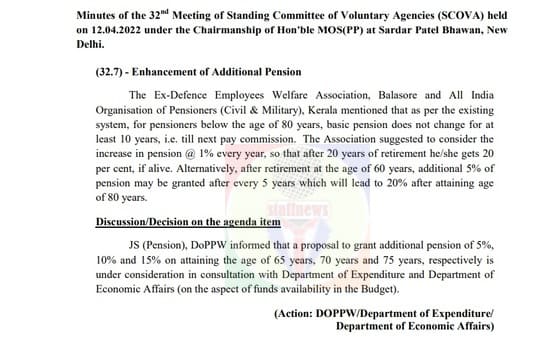
Minutes of the 32nd Meeting of Standing Committee of Voluntary Agencies (SCOVA) held on 12.04.2022 under the Chairmanship of Hon’ble MOS(PP) at Sardar Patel Bhawan, New Delhi.

(32.7) – Enhancement of Additional Pension

The Ex-Defence Employees Welfare Association, Balasore and All India Organisation of Pensioners (Civil & Military), Kerala mentioned that as per the existing system, for pensioners below the age of 80 years, basic pension does not change for at least 10 years, i.e. till next pay commission. The Association suggested to consider the increase in pension @ 1% every year, so that after 20 years of retirement he/she gets 20 per cent, if alive. Alternatively, after retirement at the age of 60 years, additional 5% of pension may be granted after every 5 years which will lead to 20% after attaining age of 80 years.
Discussion/Decision on the agenda item

JS (Pension), DoPPW informed that a proposal to grant additional pension of 5%, 10% and 15% on attaining the age of 65 years, 70 years and 75 years, respectively is under consideration in consultation with Department of Expenditure and Department of Economic Affairs (on the aspect of funds availability in the Budget).

(Action: DOPPW/Department of Expenditure/ Department of Economic Affairs)

enhancement-of-additional-pension-minutes-of-the-32nd-meeting-of-scova

Read More ->>

Holding of Pension Adalat meetings by Departments at national level: Minutes of the 32nd Meeting of Standing Committee of Voluntary Agencies (SCOVA)

 Holding of Pension Adalat meetings by Departments at national level: Minutes of the 32nd Meeting of Standing Committee of Voluntary Agencies (SCOVA)

No. 42/05/2022-P&PW(D)
भारत सरकार/Government of India
Ministry of Personnel , Public Grievances & Pensions
Department of Pension & Pensioners’ Welfare

3rd Floor, Lok Nayak Bhawan,
Khan Market, New Delhi- 110003
Date:- 20th May 2022

Minutes of the 32nd Meeting of Standing Committee of Voluntary Agencies (SCOVA) held on 12.04.2022 under the Chairmanship of Hon’ble MOS(PP) at Sardar Patel Bhawan, New Delhi.

(32.5) Holding of Pension Adalat meetings by Departments at national level

The Central Government Pensioners Welfare Association, Jaipur raised the issue regarding holding of Pension Adalats by Departments at national level.

Discussion/Decision on the agenda item

It was informed that Department of Pension & Pensioners’ Welfare has decided, to convene an All India Pension Adalat on May 5, 2022. On that day, DoP&PW will also be conducting its own Pension Adalat, besides organising an All India Pension Adalat.

The following Ministries/Departments intimated the details regarding Pension Adalats held/being held by them

Ministry/DepartmentDetails of Pension Adalats
Department of Ex-servicemen WelfareA Pension Adalat will be held on 05.05.2022
Department of Telecom(i)   In 2021-22, total 73 Pension Adalats were organized in all field units on quarterly basis.

(ii)   A nation-wide Pension Adalat was held on 2303.2022 and 353 cases were received in this Adalat wherein about 90% cases were settled on same day of Adalat.

(iii)   Further, on 23.08.2019 and 24.11.2022, nation-wide Pension Adalats were conducted wherein about 90% cases were settled on the same day of Adalat.

Ministry of Health and Family WelfareNecessary instructions have been issued to Additional Directors, CGHS to hold Pension Adalats once in every 6 months in their respective area of administration
CGDADepartment has successfully organized 174 Pension Adalats across the country since 1987. On an average, 10 to 12 Adalats are held each year. Last physical Adalat was held at Barrackpore (West Bengal) in January, 2020.

2. Due to Covid-19 and subsequent restrictions on holding public gatherings, Pension Adalats for 2020 and 2021 were put on hold.

3. In the meantime, one virtual Pension Adalat was held in January, 2021 as per directions of DoPPW.

4.  Physical Pension Adalats would be resumed as and when State Governments allow public gatherings.

Ministry of Home AffairsPension Adalats are organized by the CAPFs to redress the grievances of pensioners.
Ministry of RailwaysPension Adalats on Indian Railways are conducted on 15th December each year on Production Units and quarterly at Divisional level. Nationwide Pensioners Adalats were conducted on 18.09.2018 and 23.08.2019.
In view of the above, item was closed.

Read More ->>

Non-acceptance of Nominations of pensioners for Life-Time Arrears by the Banks: Minutes of the 32nd Meeting of Standing Committee of Voluntary Agencies (SCOVA)

 Non-acceptance of Nominations of pensioners for Life-Time Arrears by the Banks: Minutes of the 32nd Meeting of Standing Committee of Voluntary Agencies (SCOVA)

No. 42/05/2022-P&PW(D)
भारत सरकार/Government of India
Ministry of Personnel , Public Grievances & Pensions
Department of Pension & Pensioners’ Welfare

3rd Floor, Lok Nayak Bhawan,
Khan Market, New Delhi- 110003
Date:- 20th May 2022

Minutes of the 32nd Meeting of Standing Committee of Voluntary Agencies (SCOVA) held on 12.04.2022 under the Chairmanship of Hon’ble MOS(PP) at Sardar Patel Bhawan, New Delhi.

(32.4) -Non-acceptance of Nominations of pensioners for Life-Time Arrears by the Banks

The Railways Senior Citizens Welfare Society, Mohali mentioned that as per Payment of Arrears of Pension (Nomination) Rules, 1983, every pensioner has to nominate any person for receiving arrears of pension accruing after his death (on account of Pay Commissions, etc.) and to provide such nomination to their Pension Disbursing Authority (PDA). However, in many cases, when pensioners file their nominations with the PDA, there is a reluctance on the part of the bank staff to accept these nominations, as the staff is not quite conversant with the rules. Further, the pensioners are not sure about the safe storage of nominations in the Bank and about retrieval of these nominations when needed.

Discussion/Decision on the agenda item

Joint Secretary, (Pension) informed that instructions have been issued to Pension Disbursing Banks, Ministries/Departments etc. reiterating the provisions of the Payment of Arrears of Pension (Nomination) Rules, 1983 vide letter no. 1/2(40)/2022-P&PW(E) on 31.03.2022. Pension Disbursing Banks have been advised to accept the nominations under acknowledgment and keep a proper record of the same in their systems. They have also been advised to review the availability of nominations in respect of all pensioners and to ask the pensioner to submit the nomination, if the same is not available with them. Banks have also been advised to indicate the status of availability of nominations in Pension Seva Portals/ Similar portals and also in the monthly pension slips.

It was mentioned that the above instructions will again be highlighted in the next meeting of DoPPW with the Pension Disbursing Banks. MoS (PP) directed that the instructions may also be shared with Pensioners’ Associations.

In view of the above, item was closed.

non-acceptance-of-nominations-of-pensioners-32nd-meeting-of-scova

Read More ->>

Enhancement of Fixed Medical Allowance (FMA): Minutes of the 32nd Meeting of Standing Committee of Voluntary Agencies (SCOVA)

 Enhancement of Fixed Medical Allowance (FMA): Minutes of the 32nd Meeting of Standing Committee of Voluntary Agencies (SCOVA)

No. 42/05/2022-P&PW(D)
भारत सरकार/Government of India
Ministry of Personnel , Public Grievances & Pensions
Department of Pension & Pensioners’ Welfare

3rd Floor, Lok Nayak Bhawan,
Khan Market, New Delhi- 110003
Date:- 20th May 2022

Minutes of the 32nd Meeting of Standing Committee of Voluntary Agencies (SCOVA) held on 12.04.2022 under the Chairmanship of Hon’ble MOS(PP) at Sardar Patel Bhawan, New Delhi.

(32.8) – Enhancement of Fixed Medical Allowance (FMA)

The Ex-Defence Employees Welfare Association, Balasore mentioned that Fixed Medical Allowance (FMA) of Rs. 1000/- p.m. to pensioners residing in Non-CGHS areas is insufficient for purchase of medicines every month as the cost of medicines has increased manifold after Covid-19. A request was made to increase the amount of FMA.

Discussion/Decision on the agenda item

JS (Pension), DoPPW informed that a proposal to increase the amount of Fixed Medical Allowance is under consideration. Based on the data received from the concerned Departments, financial implications on the proposal are being worked out and a reference will be made to Department of Expenditure shortly.

(Action: DoPPW)

Read More ->>