Read More ->>
Monday, 29 January 2018
How to View General Ledger Account Details in CSI Post Office?
This method is used check the correctness of accounting of all the post offices. It also helps us find out any mistakes in the General Ledger heads.
We can find the document number, date, amount and transaction details with this method. Here I have taken saving bank general ledger code as an example.
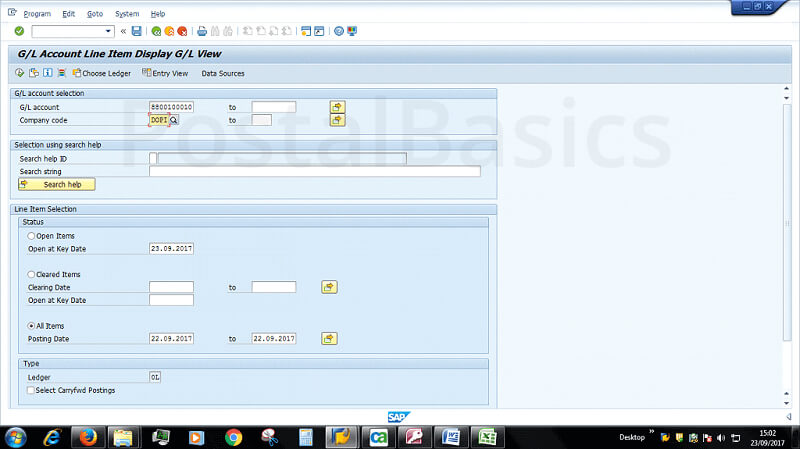
In SAP, type T-code FAGLL03.

GL account Enter 10 Digit GL number.
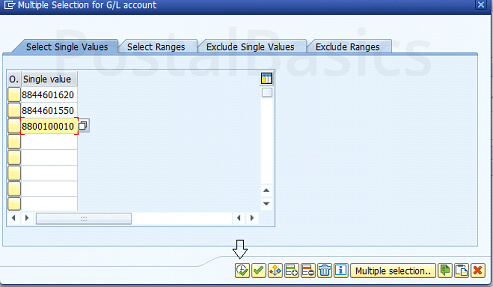
you can also give multiple GL codes using multiple selection as shown in below screenshots.


If you want to select multiple GL heads at a time then, you can use the above said selction.
Next, enter these details.
Company Code DOPI
Select ALL ITEMS
Posing Date DATE(from to to)

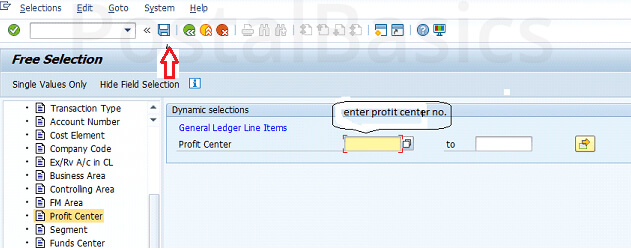
Now, select the icon as shown in the figure.

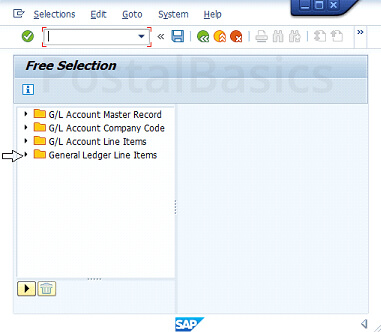
You will see below window.

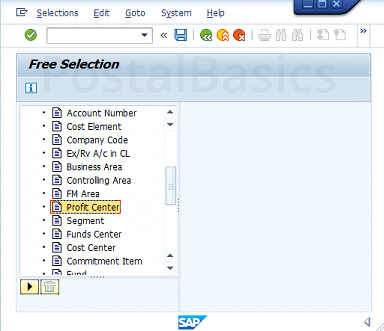
Click on that arrow mark. You will be displayed some list.

Click on Profit center Number.

Enter Profit Center number and click on SAVE button. You will come back to the first window.

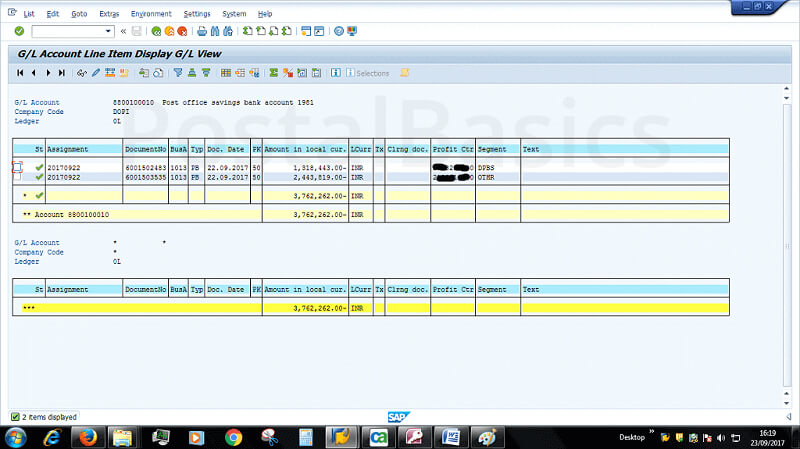
You can see Active 1 - which indicates the Profit Center - is selected. Click on EXECUTE.

You can get the details of GL account name, document number, type, document date, total uploaded consolidated amount of saving bank and profit center number.
Read More ->>
How to Issue Cheque to Sub Post Offices?
I have already explained how to issue a cheque with in the office for different kinds of payments. In this article, I will be explaining, how to issue cheque for any sub post office?
As SPM of Sub Post Office will send a cheque request through SAP, the message will go to the Head Office Treasurer Inbox for approval.
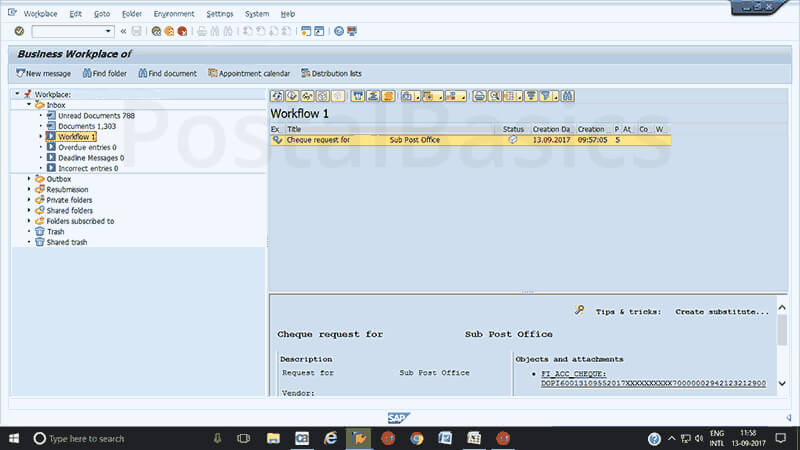
To approve the message, go to SAP Module » Click on WorkPlace » Inbox » Workflow. You can see the message as shown in the screenshot.

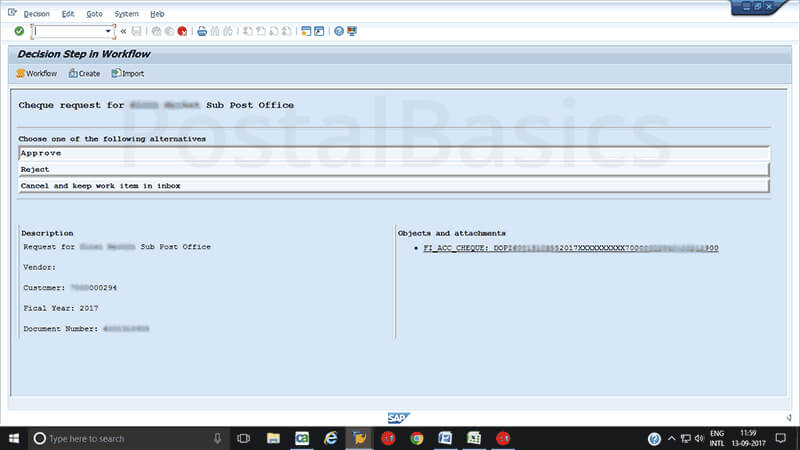
Click on the message cheque request from X office. A window will pop up.

Click on Approve.
Thus you just have received a message of cheque request. Now, before issuing a cheque you have to find the particular Document Number of that payment. For that, go to FAGLL03 T-code in SAP. Type the GL code of DRAWING BANK and Profit Center of Cheque requested Sub Office.
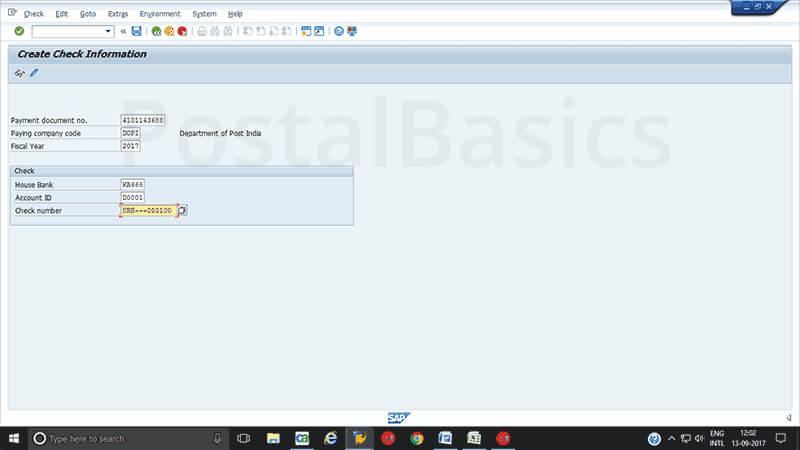
Once you note down the Document Number, enter T-code FCH5.

Enter the details.
Payment document no. 10 digit document no.
Company Code DOPI
Fiscal year 2017
House Bank AP001
Account ID D001
Check number Enter the cheque no. (or select search icon and select the last line which shows last leaf used in the cheque book. By this you can change the number to next consecutive number)
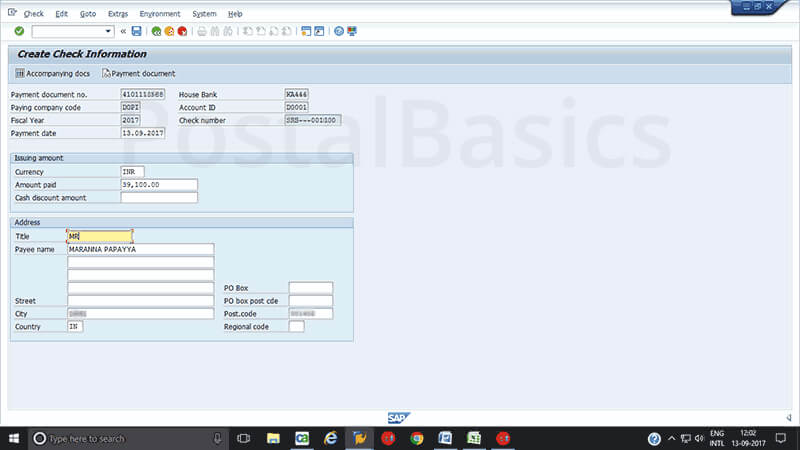
Click on ENTER. You should see the next window.

Title Mr./Mrs.
Payee Name Name
City xxx
Postal code 123456
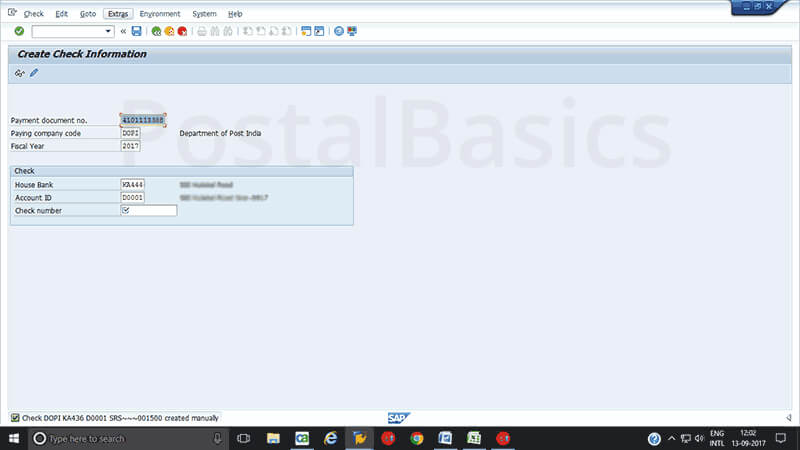
Here, the amount will be shown automatically so that you can confirm the amount. Now, click on SAVE button.

You can see the message at the bottom as check DOPI xxxx created manually. By deducting the cheque leaf manually, you can issue a cheque to Sub Office.
Read More ->>
Annual Interest Calculation Method for SB / PPF
Annual Interest Calculation Method - For SB
(For Financial Year )
SB - Rate of Interest = 4.0% pa ie 4.0 /100
Interest Bearing Balance (IBB) = minimum Balance in every month from 10th to end of the month for a particular account
Here Total IBB is 78000
Example
Note :
Please refer the Rate of Interest revised by DOP then and there
Prepared by SAPOST
|
Annual Interest Calculation Method - For PPF
(For Financial Year )
SB - Rate of Interest = 7.60% pa ie 7.60 /100
Interest Bearing Balance (IBB) = minimum Balance in every month from 5th to end of the month for a particular account
Here Total IBB is 74000
For Subsequent Deposit
Example
For Yearly once Deposit
Eg. One time Deposit Rs 1,00,000 during April ( on or Before 5th April )
Note :
Please refer the Rate of Interest revised then and there by DOP
Prepared by SAPOST
|
Read More ->>


→